Enterprise applications are the software systems that keep larger organizations coordinated. They manage customers, finance, inventory, HR, operations, reporting, workflows, content, projects, and the data moving between departments.
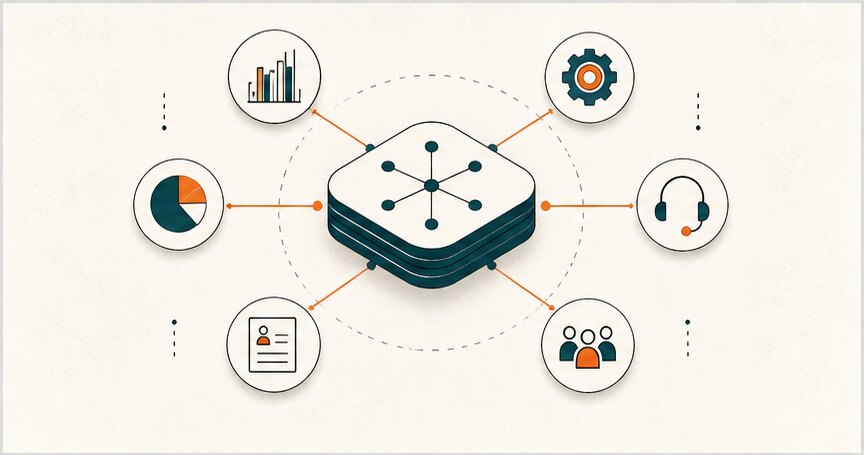
The value is not the software category itself. A CRM, ERP, BI dashboard, or workflow system only matters if it reduces operational friction, improves visibility, prevents duplicate work, and gives teams a clearer way to make decisions.
This guide focuses on the major enterprise application types, where each one fits, and how to decide whether to buy a platform, connect existing tools, or build something custom.
If the decision has moved from category research into a custom build question, use the enterprise application development guide to decide when a growing company needs a custom internal system.
If the main risk is moving data between CRM, ERP, finance, inventory, and operations systems, the custom web app integrations guide explains what must be decided before development starts.
Hapy’s enterprise application lens
When we evaluate enterprise application needs, we start with the workflow before the tool:
- Where is the current source of truth? If teams rely on spreadsheets and manual updates, the software has to solve data ownership first.
- Which handoffs create delay? Enterprise software should make approvals, exceptions, and responsibilities visible.
- Which data should connect? CRM, ERP, billing, support, and operations often need integration more than a new standalone app.
- What should be custom? Standard workflows can use SaaS. Differentiated workflows may need custom software or business process automation.
- Who owns adoption? Enterprise applications fail when the process changes but the team keeps working around the system.
What is an enterprise application?
An enterprise application is software that supports important operations across a company, not just one person’s task list. It usually handles shared data, permissions, workflows, reporting, integrations, and security for multiple departments.
That is why enterprise applications are different from simple business apps. A note-taking app may help one team member. An enterprise CRM, ERP, HRIS, BI dashboard, support platform, or workflow system changes how departments coordinate around customers, money, people, inventory, and decisions.
In 2026, enterprise application choices are often tied to cloud adoption, automation, and integration. Compare these categories with cloud ERP software, types of SaaS, business process automation, and the expected custom software development cost before deciding what to build or buy.
Major types of enterprise applications
| Type | Primary job | Common users | Watch out for |
|---|---|---|---|
| CRM | Manage leads, customers, pipeline, and account history | Sales, marketing, support, leadership | Dirty customer data, unclear ownership, duplicate records |
| ERP | Coordinate finance, inventory, purchasing, operations, and planning | Finance, operations, procurement, leadership | Expensive customization before the process is understood |
| SCM | Plan supply, procurement, production, logistics, and returns | Operations, logistics, procurement, vendors | Weak visibility across suppliers and warehouses |
| BI and analytics | Turn operational data into dashboards and decisions | Leadership, finance, ops, growth teams | Reports that look good but do not change decisions |
| HRIS / HRM | Manage hiring, employee records, payroll, performance, and compliance | HR, finance, managers, employees | Poor employee adoption or weak permission controls |
| Workflow automation / BPM | Standardize approvals, handoffs, exceptions, and repeatable work | Operations, back office, support, management | Automating a broken process too early |
| Customer support | Manage tickets, SLAs, knowledge base, escalation, and service quality | Support, success, product, operations | Support data staying disconnected from product and sales |
| Custom internal systems | Support business-specific workflows that SaaS cannot fit cleanly | Cross-functional teams | Overbuilding without clear maintenance ownership |
1. Customer relationship management (CRM)
A CRM is the enterprise application for customer and account data. It keeps sales pipeline, contact history, deal status, notes, tasks, marketing activity, and account ownership in one place.
CRM systems are useful when a company needs shared customer memory. Sales should know what marketing promised. Support should know what the customer bought. Leadership should know which accounts are growing, stalled, or at risk.
Good CRM implementation is less about buying Salesforce, HubSpot, Zoho, or Pipedrive and more about answering practical questions:
- What counts as a qualified lead?
- Who owns account data quality?
- Which pipeline stages reflect the real sales process?
- Which fields are required because they change decisions?
- Which handoffs should be automated, and which need human review?
The most common CRM failure is treating it as a database instead of an operating workflow. If teams only update it after meetings because leadership asks for reports, the CRM becomes administrative overhead. If it helps sales, support, and marketing act faster, it becomes an enterprise system.
2. Enterprise resource planning (ERP)
ERP systems coordinate core business resources: finance, accounting, procurement, inventory, production, planning, and sometimes HR or project operations. They are common in companies where money, materials, vendors, and operational planning need one controlled system.
An ERP can help with:
- Finance and accounting
- Procurement and vendor management
- Inventory and warehouse visibility
- Manufacturing or production planning
- Order management
- Budgeting and forecasting
- Compliance and audit trails
- Cross-department reporting
ERP is not always the first answer. A company with one messy workflow may need an internal tool or workflow automation before it needs a full ERP program. When a business is unsure whether it needs ERP, internal dashboards, workflow tools, or a custom operating layer, Hapy’s guide to custom ERP development vs internal tools gives a clearer decision path.
3. Supply chain management (SCM)
Supply chain management systems support the movement of goods, materials, orders, vendors, warehouses, and returns. They are critical when delays, shortages, inaccurate inventory, or poor vendor coordination directly affect customer experience and revenue.
SCM software often covers:
- Demand planning
- Supplier coordination
- Procurement
- Inventory visibility
- Warehouse operations
- Manufacturing handoffs
- Logistics and delivery
- Returns and reverse logistics
The real value is exception handling. A basic dashboard can show that a shipment is late. A stronger SCM workflow helps the team see which customer orders are affected, which supplier can cover the gap, what inventory can be reallocated, and who needs to approve the change.
4. Business intelligence and analytics
Business intelligence applications turn operational data into dashboards, reports, and decision support. They connect data from CRM, ERP, finance, product, marketing, operations, and support tools so leaders can see what is actually happening.
BI should not be judged by dashboard volume. It should be judged by decision quality.
Useful BI systems answer questions like:
- Which customer segment is most profitable?
- Where are orders delayed?
- Which workflow causes the most support tickets?
- Which products or services have weak margins?
- Which team is blocked by missing data?
The common failure is building reports that nobody owns. Before adding BI tooling, decide which decisions the dashboard should improve, who is responsible for the metric, and what action happens when the number changes.
5. Human resources information systems (HRIS / HRM)
HRIS and HRM systems manage employee data and people operations. They can support recruiting, onboarding, payroll, benefits, performance reviews, compliance, training, workforce planning, time off, and employee records.
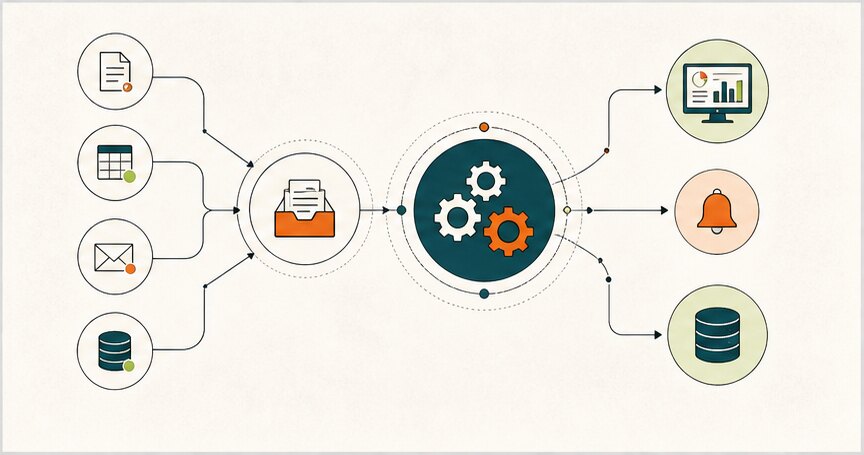
Good HR systems are not only employee databases. They reduce manual handoffs between recruiting, finance, managers, and employees. For example, a hiring workflow might connect applicant tracking, offer approvals, onboarding tasks, payroll setup, equipment requests, and first-week training.
The enterprise risk is privacy and permissions. HR data is sensitive, so access control, audit logs, and clear ownership matter as much as automation.
6. Workflow automation and BPM
Business process management and workflow automation systems standardize repeatable work: approvals, intake forms, routing, reminders, status changes, exceptions, and reporting.
This category often sits between SaaS and custom software. Many companies can start with low-code tools or automation platforms. Others need a custom workflow when the process is specific, high-volume, regulated, or tied to revenue.
Use Hapy’s Business Systems & Automation work when the problem is not just one tool, but the way sheets, approvals, dashboards, emails, and handoffs fit together.
7. Customer support and service systems
Customer support platforms manage tickets, SLAs, live chat, knowledge bases, escalation paths, and service reporting. They become enterprise applications when support data affects sales, product, operations, and customer success.
A good support system helps answer:
- Which issues are repeated often enough to automate?
- Which customers are blocked?
- Which product gaps create support load?
- Which SLA failures need escalation?
- Which knowledge-base articles reduce ticket volume?
Support systems work best when they connect back to CRM, product analytics, billing, and operations. Otherwise, the support team sees the pain first but cannot help the rest of the business respond.
8. Custom internal tools and enterprise applications
Custom enterprise applications make sense when standard SaaS cannot support the workflow cleanly. That might mean a custom dashboard, partner portal, operations console, approval system, scheduling tool, field-service app, billing workflow, inventory layer, or industry-specific platform.
Custom software is not automatically better than SaaS. It is justified when the workflow is specific enough, the integration burden is high enough, or the operational advantage is important enough to own. If the company only needs a normal CRM, HRIS, accounting tool, or project tracker, buying is usually faster and cheaper.
For examples, compare internal tools examples, custom software examples, and build vs buy software before turning a workflow problem into a large custom build.
Enterprise applications vs regular business software
The difference is not only company size. Enterprise applications usually have stricter requirements:
| Requirement | Regular business software | Enterprise application |
|---|---|---|
| Users | One person or one team | Multiple departments and roles |
| Data | Local or tool-specific | Shared source of truth |
| Permissions | Simple account access | Role-based access, approvals, audit trails |
| Integrations | Nice to have | Often required for daily operations |
| Reporting | Basic dashboards | Operational and executive decision support |
| Change management | Individual adoption | Process, training, governance, and ownership |
| Risk | Limited workflow impact | Can affect revenue, compliance, operations, and customer experience |
This is why enterprise application projects should include the people who run the workflow, not only executives and IT. The system has to fit daily work.
How to choose the right enterprise application
Start with the operating problem, then choose the application category.
- Define the workflow that needs improvement.
- Identify the current source of truth.
- List the roles, permissions, and approvals involved.
- Map the systems that need to connect.
- Separate required features from nice-to-have features.
- Decide which parts should be standardized and which should stay flexible.
- Estimate migration, training, maintenance, and support costs.
- Define success metrics before buying or building.
The practical decision usually becomes buy, connect, or build.
| Option | Best when | Example |
|---|---|---|
| Buy SaaS | The workflow is standard and the platform already fits most needs | CRM, HRIS, accounting, support desk |
| Connect existing tools | The tools are useful but data and handoffs are fragmented | CRM plus billing plus support dashboards |
| Build custom | The workflow is specific, high-value, or hard to model in SaaS | Internal operations portal, custom approval engine, partner workflow |
If available software covers most of the critical workflow, buy and configure. If the tools are fine but fragmented, connect them. If every serious platform forces the team to work around the system, custom development may be worth evaluating.
What to check before investing
Before investing in an enterprise application, check:
- Process fit: Does the software match the real workflow, including exceptions?
- Data ownership: Who owns data quality, cleanup, and lifecycle rules?
- Integration needs: Which systems must exchange data reliably?
- Security: Which roles need access, approval, audit logs, and restricted records?
- Reporting: Which decisions will improve because the system exists?
- Adoption: How will teams be trained, supported, and held accountable?
- Maintenance: Who owns configuration, integrations, bug fixes, and vendor changes?
- ROI: Which delays, errors, costs, or revenue leaks should decrease?
The strongest enterprise application choices are rarely tool-first. They are workflow-first and ownership-first.
Final thoughts
Enterprise applications help businesses coordinate work across departments. CRM, ERP, SCM, BI, HRIS, workflow automation, support platforms, and custom internal systems each solve a different operational problem.
The best choice depends on what the business needs to control: customers, money, inventory, people, reporting, approvals, service quality, or a workflow that standard software cannot model. Start there, then decide whether the company should buy a platform, connect existing tools, or build a custom system.


