Website maintenance services should keep the site’s important journeys working, its content accurate, and its risks visible. Agree what the maintainer checks, who responds when something fails, and what evidence you receive. An update schedule alone does not answer those questions.
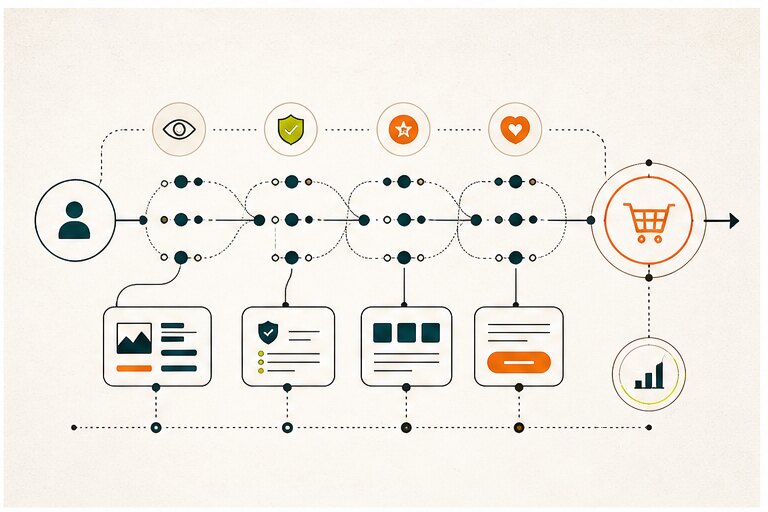
For a business site, the scope may include uptime, backups, security, performance, content, search visibility, accessibility, analytics, forms and integrations. The right mix depends on the site’s job: a brochure site and a checkout flow do not need the same coverage.
The practical website maintenance services list
Here is the maintenance scope most business websites should consider:
| Area | What to check |
|---|---|
| Uptime | Is the site reachable and stable? |
| Backups | Can the site be restored if something breaks? |
| Security | Are dependencies, credentials, forms, and admin access safe? |
| Performance | Are pages fast enough on mobile and desktop? |
| Content | Is the information accurate, useful, and current? |
| SEO | Are titles, metadata, canonicals, sitemap, links, and indexability healthy? |
| Accessibility | Can users navigate and understand the site across needs and devices? |
| Analytics | Are important events, forms, and conversion paths tracked? |
| Forms and integrations | Do contact forms, email flows, CRM syncs, and payment paths work? |
| Conversion | Are calls to action clear and still aligned with the offer? |
Use the list to define outcomes, not to buy every service by default. A small brochure site may need fewer checks than an ecommerce or lead-generation site, but it still needs an owner for its critical contact path.
Technical maintenance
Technical maintenance keeps the website stable and usable.
This can include:
- Updating dependencies or CMS plugins
- Checking hosting and SSL
- Monitoring uptime
- Fixing broken pages and 404s
- Reviewing redirects
- Testing forms
- Optimizing images
- Checking mobile behavior
- Reviewing Core Web Vitals where relevant
- Confirming backup jobs and restore paths
- Running periodic restore tests and recording the evidence
For a restore test, record the backup timestamp, systems and data included, time to restore, data freshness after restoration, and whether critical pages, forms, and integrations work. Check the result against agreed recovery targets. A successful backup job alone does not prove that recovery works. CISA’s ransomware guide recommends testing backup availability and integrity. If the host owns backups, agree how a restore is requested and what evidence the host will provide.
SEO and content maintenance
SEO maintenance checks whether the site remains crawlable, accurate, helpful, and easy to understand. Use Google Search Console to inspect indexing and search performance, but pair it with on-site behavior data when judging whether a page supports a business goal.
Check:
- Page titles and meta descriptions
- Indexability and canonical tags
- XML sitemap
- Internal links
- Broken outbound links
- Duplicate or outdated content
- Thin pages
- Image alt text
- Structured data where used
- Search Console issues
Content should also be reviewed for truth and usefulness. Old pricing, outdated claims, stale screenshots, generic articles, and broken links reduce trust.
Security and access maintenance
Security maintenance is especially important for sites with admin users, forms, payments, customer data, or third-party integrations.
Review:
- Admin accounts and permissions
- Password and authentication policies
- Plugin or package vulnerabilities
- Form spam protections
- API keys and environment variables
- Backup access
- Logs for suspicious activity
- Privacy and data handling language
Security is not a one-time launch task. It is part of keeping the website fit for business use.
Analytics and conversion maintenance
A website should be maintained against its business purpose.
Ask:
- Are people reaching the pages that matter?
- Are forms submitting correctly?
- Are CTAs still aligned with the current offer?
- Are visitors dropping before key actions?
- Do journal articles lead to relevant service pages?
- Are analytics events still firing?
- Does the site explain the business accurately?
This is where maintenance overlaps with product and marketing work. A technically healthy site can still have a broken lead path or an outdated offer.
How often to maintain a website
Separate scheduled review from event-driven response. The following is a starting rhythm to adapt to the site, rather than a service-level promise:
- Monthly: most business sites
- Weekly: active content, lead generation, ecommerce, campaign pages
- After every release: sites with custom code or integrations
- Quarterly: deeper content, SEO, performance, and conversion review
Availability and critical-journey monitoring should send alerts independently of this calendar. An outage, suspected compromise, or relevant critical vulnerability needs triage when detected, not at the next scheduled check. Agree who covers alerts after hours before promising that response.
Scheduled maintenance and event-driven response
Scheduled checks do not replace response work when an incident or critical patch appears between review dates. Keep a separate event-driven lane with a named owner and a business contact.
| Trigger | Owner action | Evidence to keep |
|---|---|---|
| Uptime alert, broken form, or payment failure | Confirm the signal, assess user impact, and restore or mitigate the affected path | Alert, assessment, change, test result, and communication record |
| Critical vulnerability or urgent vendor notice | Confirm whether the site is affected, apply a safe patch or mitigation, and test the important paths | Advisory, affected component, patch or mitigation, test result, and follow-up |
| Suspected data or access incident | Restrict access as needed, preserve relevant logs, escalate to the responsible security or business owner, and follow the incident plan | Timeline, decisions, owners, and required follow-up |
Set response expectations before an incident occurs. Define who acknowledges the signal, who approves a risky change, how often the business receives updates, and what closes the incident. Do not present these expectations as a universal response time; agree them for the site’s risk and operating hours.
What a maintenance agreement should make clear
A provider’s service list is useful only when you can tell who acts and how you will know the work was done. Use this short scope check before signing or renewing an agreement:
| Decision to agree | Example evidence to request |
|---|---|
| Which pages, forms, integrations, and environments are covered? | Named inventory and a test of the critical user journey |
| Who patches the CMS, dependencies, hosting, and third-party services? | Change record, affected component, and post-change test result |
| Who owns backups and restores, and what recovery target applies? | Dated restore-test result, gaps, and escalation contact |
| What is monitored outside scheduled checks, and who receives alerts? | Alert route, backup recipient, operating hours, and incident record |
| Who reviews search, content, accessibility, and conversion health? | Findings tied to a page or journey, action owner, and follow-up date |
| What is excluded or billed separately? | Explicit exclusions, approval path, and handoff to another supplier |
For a brochure site, this may fit a short monthly agreement. For ecommerce, lead generation, or a custom web app, the incident path and integration owners need more detail. Do not assume that hosting, a plugin license, or an SEO retainer includes the other responsibilities.
The Hapy view
For Hapy, the maintenance question is whether the website still helps people understand, trust, and act. A content refresh, design repair, or integration fix may matter more than another routine update. When comparing Hapy’s engagement options with another provider’s plan, use the scope table above to agree what each team owns and how you will verify the work.


