A program is a set of instructions that a computer can execute. A program is software. Software is the broader term: it can refer to a single program, a collection of programs, or a product that also includes supporting data, configuration, and documentation.
The words overlap in ordinary usage. A browser can reasonably be called both a program and software. There is no universal boundary based on file size, number of features, development time, graphical interface, or developer experience.
A useful business analogy
For founders, the useful distinction is between a bounded piece of code and the complete operating capability the business needs. This is a planning analogy, not a technical definition that excludes small programs from software.
A script that imports orders from a CSV file may solve one task. An order-management product may add controlled access, validation, error recovery, dashboards, integrations, testing, deployment, documentation, and support. The script is already software; putting it into a larger system creates additional responsibilities.
| Term | Meaning | Example |
|---|---|---|
| Program | Executable instructions for one or more tasks | A CSV import script or a browser |
| Software | Broad category including programs and related supporting material | The script itself, an operating system, or an order platform |
| Application | Software intended to support a user’s task | A booking app, spreadsheet, or CRM |
| Software system | Interacting software components and their interfaces | Storefront, order service, database, and fulfillment integration |

Common software categories
These categories describe purpose and can overlap; they are not mutually exclusive size bands.
Application software
Applications help people do work or consume services. Examples include word processors, spreadsheets, presentation tools, email clients, browsers, graphics editors, and games. An application may be installed locally, served through a browser, or split across client and server components.
System software
System software supports the operation of hardware and other software. Operating systems and device drivers are clear examples. Utilities may support backup, storage management, or other operational tasks. A utility can be important even when it is small.
System software is not restricted to one programming language. The choice depends on the component, platform, performance needs, and existing implementation.
Development tools
Compilers, interpreters, debuggers, linkers, code editors, and integrated development environments help developers create and inspect software. Office suites and games are generally examples of applications, not development tools merely because they were created with code.
How a program runs
Source code is expressed in a programming language. Depending on the language and runtime, it may be compiled before distribution, interpreted, compiled during execution, or use a combination of approaches. A user does not necessarily compile a program every time they request output.
Programs can run because a person starts them, a schedule triggers them, or another system requests work. Some have graphical interfaces, some use a command line, and others run in the background. Programs can be carefully planned, documented, and tested at any scale.
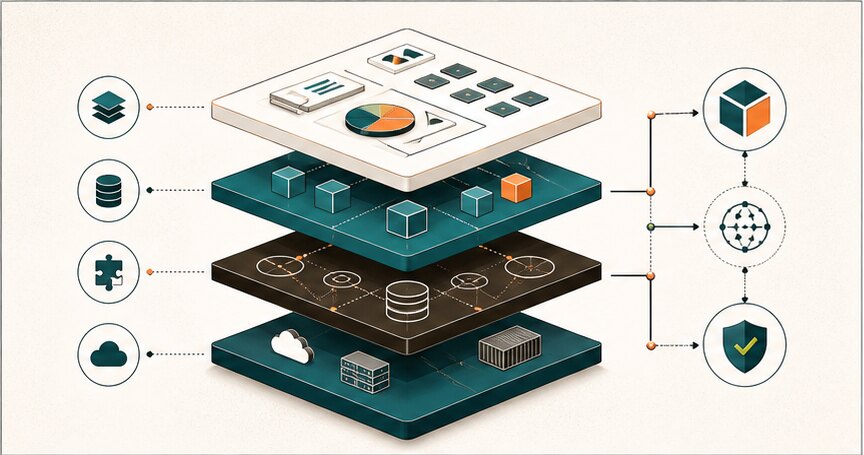
From CSV script to a dependable workflow
Suppose an illustrative first script reads a file and writes orders into a database. Before allowing staff to depend on it, ask what happens in these cases:
- The same file is submitted twice.
- A required field is missing or contains invalid data.
- The connection fails after some records are written.
- A staff member imports data for the wrong account.
- The source column names change.
- The original developer is unavailable when the job fails.
The appropriate response might be input validation, duplicate detection, a dry-run preview, access controls, a transaction or reconciliation process, failure reporting, and a runbook. It does not necessarily require building a large platform.
A one-person utility may only need a small set of these controls. A workflow that writes customer orders or financial records needs a stronger release and recovery plan. Scope the responsibility from the impact of failure, not from whether somebody calls the result a “program” or “software.”
What to specify when buying development
Name the users, input and output, allowed actions, dependencies, exception behavior, and evidence of completion. State who owns deployment, support, data, and future changes. Ask whether the quote covers only the happy-path code or the operating workflow as well.
Use software requirements, quality assurance, and the development environment guide to make those obligations visible.
Talk to Hapy when you need to decide how much engineering a business workflow actually requires.


