
Customised software is worth building when a generic tool cannot support how the business actually works. That may mean a workflow is too specific, data is scattered across systems, customers need a self-service portal, or employees are losing time to manual handoffs.
The decision should be disciplined. Custom software can become a powerful business asset, but it can also become expensive waste if the team builds before understanding the workflow, users, data, integrations, and maintenance responsibility.
If you are still shaping the first version, Hapy’s MVP development process can help validate the idea before you commit to a larger custom software build.
For example, a custom ordering system may reduce sales admin, a dashboard may make operational exceptions visible, and an integration layer may stop teams from copying data between SaaS tools. In each case, the software is valuable because it changes how the business runs.
Hapy’s build decision
Before we recommend a custom build, we would ask:
- What workflow is slow, fragile, or impossible with current tools?
- What business outcome should improve after the software launches?
- Which users, roles, permissions, and handoffs must be supported?
- Which systems need to exchange data?
- What should be built now, and what should wait until the workflow is proven?
- Who will own support, analytics, and iteration after launch?
If those answers are unclear, start with discovery and a lightweight software requirements specification before development.

What customised development includes
Customised software is designed around a particular workflow, user group, or operating constraint. A configured commercial product, a custom extension, and a wholly custom application are different levels of investment. Start with the smallest level that meets the need.
A custom system may offer specific features, integrations, and control over its roadmap. Those advantages depend on usable design, sound implementation, maintenance capacity, and the rights agreed with suppliers. They are not automatic benefits of writing new code.
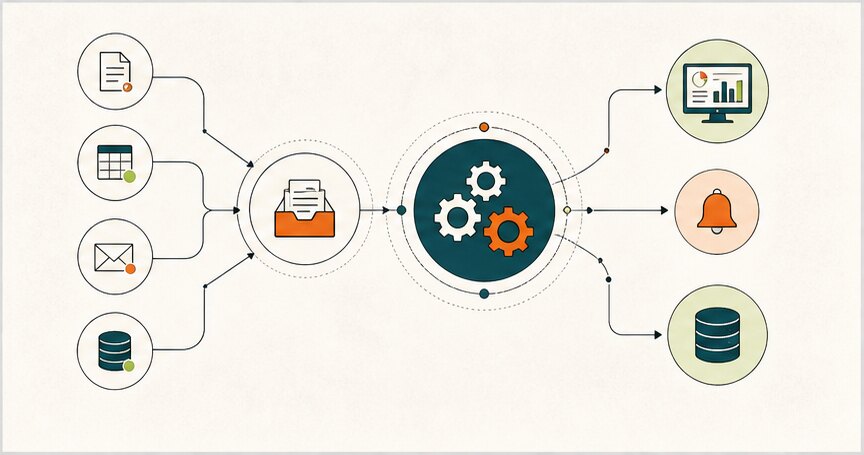
Five steps from problem to operating software
1. Observe the business problem
Watch the workflow with the people doing it. Record triggers, decisions, exceptions, handoffs, volumes, waiting time, and rework. Distinguish a missing software capability from an unclear policy or ownership problem.
For example, sales staff may be copying approved discounts between a CRM and ordering system. Before proposing a replacement CRM, check whether the existing product can support the approval rule or expose an integration.
2. Define requirements and compare options
Write the user roles, required behavior, data ownership, integration contracts, and acceptance checks. Include permissions, recovery, accessibility, performance, and support needs. Identify what can wait.
Compare configuring the current tools, buying another product, building a narrow extension, and replacing the system. Use a software requirements specification proportionate to the risk, not a feature wishlist with no acceptance criteria.
3. Select the team and agree ownership
Evaluate a custom software development partner through comparable work, a technical discussion, references, and a bounded discovery exercise. Ask who will actually design, build, review, test, and support the system.
Agree scope, change control, repository access, third-party dependencies, documentation, data handling, support coverage, and exit arrangements. Have the appropriate advisers review legal terms. A confidentiality agreement does not replace technical access controls or establish all ownership rights.
4. Build and test in useful slices
Deliver one complete workflow at a time. Test important logic with unit and integration checks; test user journeys, permissions, migration, and failure recovery at the relevant system boundaries. Use exploratory testing for unexpected behavior and usability problems.
Performance, compatibility, accessibility, and security require explicit scope and evidence. Passing tests reduces uncertainty; it does not prove that software is defect-free. Review discovered failures before broadening access.
5. Launch, support, and improve
Rehearse data migration and recovery, train operators, and release to a bounded group where appropriate. Monitor completion rates, exceptions, support requests, and the original business metric.
Assign an owner for dependency upgrades, vulnerabilities, incidents, backup restoration, integration changes, and user support. Confirm what maintenance is included in the agreement and what requires additional budget. Support does not become free because it was discussed before launch.
Common types of customised software
| Type | Example need | Check before building |
|---|---|---|
| Operations system | Job scheduling and exception handling | Whether a configured workflow tool fits |
| Commerce extension | B2B ordering and customer-specific rules | Existing platform and payment integration constraints |
| ERP extension | Proprietary production or costing logic | Source-of-truth ownership and reconciliation |
| Customer portal | Self-service requests and status | Identity, permissions, support and accessibility |
| CRM workflow | Approval and follow-up beyond standard configuration | Built-in automation and supported APIs |
| Content tooling | Specialized editorial workflow | Whether an existing CMS can be configured |
Broad ERP replacement is a different commitment from a dashboard or integration. Use the ERP vs internal tools guide to distinguish them.
A build-versus-configure example
Consider a hypothetical wholesaler whose sales team needs manager approval for unusual discounts. Option A configures the existing CRM. Option B adds a small approval service and audit view. Option C replaces the CRM.
Test A first against the actual rules: approval limits, delegation, duplicate requests, and updates after approval. If it meets the requirements, custom development may add cost without useful value. If it cannot enforce a necessary rule, prototype B and test integration failures before considering C.
Measure time spent processing and correcting approvals, plus the cost of configuration, development, licensing, monitoring, and support. If a custom layer saves six staff-hours a week but consumes four hours of maintenance and review, the potential capacity benefit is two hours. It becomes cash savings only if an expense is actually reduced. These are illustrative assumptions, not a client result.
Benefits and obligations belong together
| Potential benefit | Condition or obligation |
|---|---|
| Workflow fit | Requirements and usability need validation with operators |
| Integration control | APIs, vendor changes, retries, and reconciliation need maintenance |
| Roadmap flexibility | Changes still require design, implementation, testing, and budget |
| Ownership | Contracts, licenses, access, and transferable knowledge must support it |
| Economic value | Realized benefits must exceed full lifecycle costs |
| Focused interface | User research must show the narrower design is actually easier to use |
Custom software does not provide complete security or become safer merely because fewer people use it. Define a threat model, least-privilege access, secret handling, dependency review, logging, recovery, and incident ownership. The business and delivery team must agree who operates each control.
A custom supplier can also fail, stop trading, or lose key staff. Keep code, infrastructure accounts, build instructions, data exports, and operational knowledge accessible to the business. Verify that another qualified maintainer can run the system before relying on an exit clause alone.
Estimate the full cost
A useful estimate separates discovery, design, development, integrations, migration, testing, rollout, training, hosting, support, and future change. Record uncertain assumptions and price the next discovery step when evidence is missing.
Do not assume future costs become negligible or that support lasts for the lifetime of the product. Compare the same time horizon and workload for custom and commercial options, including business staff time. Our custom software cost guide expands that planning process.
Choose a delivery model that fits uncertainty
Iterative delivery helps when requirements will change through use. Sequential gates can help coordinate fixed dependencies or approvals. Neither removes the need for testing and operational ownership. The SDLC comparison discusses common approaches without requiring every project to use the same model.
Build customised software when a specific unmet need and credible operating plan justify it. The deliverable is a maintainable system that improves a workflow, not simply code that matches a brief.
Further questions
What is customised software with examples?
Customised software is software built around a specific business workflow or customer experience. Examples include internal dashboards, customer portals, booking systems, B2B ordering tools, logistics systems, approval workflows, and custom reporting platforms.
What are the main development stages?
The main stages are discovery, requirements, solution design, UX/UI design, development, testing, launch, support, and iteration. The exact process should match the risk and complexity of the product.
What are the types of customised software?
Common types include operations management software, ecommerce systems, ERP extensions, CRM workflows, customer portals, internal tools, integration layers, mobile apps, and business automation platforms.