The best business process automation companies do more than connect apps. They help a growing team understand how work actually moves, clean up the messy handoffs, integrate the right systems, decide where AI belongs, and support the workflow after launch.
For teams moving beyond spreadsheets and manual approvals, that difference matters. A simple automation platform may be enough for a clean, low-risk task. A business process automation company becomes useful when the process crosses departments, depends on several systems, needs reporting leaders can trust, or has enough exceptions that a template workflow will break.
This guide gives buyers a framework for evaluating potential service providers through five criteria: workflow analysis, system integration, AI readiness, reporting, and long-term support. It also shows when software platforms are enough and when custom implementation is the safer path.
If you need the category baseline first, start with business process automation and the business process automation strategy guide. If the buying question is platform governance versus custom fit, compare BPM vs custom automation before shortlisting providers.

How to evaluate the companies
Editorial scope, September 8, 2026: this is a self-published buyer framework with illustrative companies to investigate, not a vetted or ranked shortlist. Hapy sells these services and has a commercial interest in being considered. We have not established comparable delivery results, current availability, pricing, or support terms for these companies. Apply the same evidence requests to Hapy as to every other candidate.
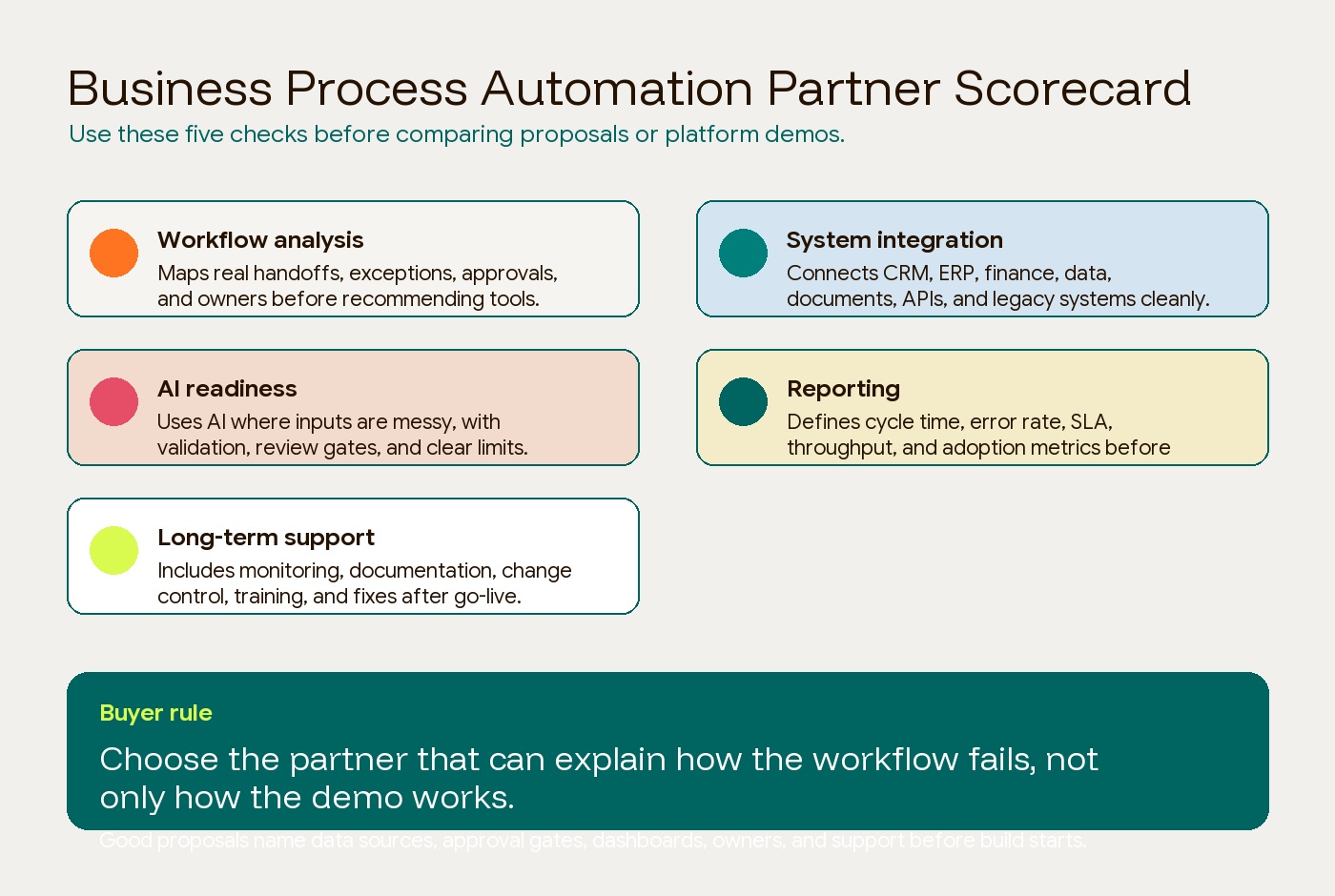
Use five practical criteria:
| Criterion | Evidence to request |
|---|---|
| Workflow analysis | Does the company map the current process, owners, exceptions, approvals, and bottlenecks before recommending tools? |
| System integration | Can it connect CRM, ERP, finance, document systems, APIs, databases, and legacy platforms without creating hidden manual work? |
| AI readiness | Does it use AI for the right parts of the workflow, such as classification, extraction, routing, drafting, or review support, with governance around uncertain outputs? |
| Reporting | Does the implementation produce usable dashboards, audit trails, cycle-time metrics, SLA visibility, and adoption signals? |
| Long-term support | Does the company offer monitoring, documentation, training, change control, bug fixes, and post-launch optimization? |
Do not treat headcount, awards, or broad “digital transformation” language as enough proof. A strong automation partner should be able to explain how the workflow fails, what happens when data is missing, who owns exceptions, and how the team will know the system is improving the business.
Companies to investigate, with the evidence still missing
These links are starting points for provider research. Inclusion does not verify a current service capability or recommendation. Start with your workflow, retain only candidates that can provide relevant evidence, and record the date and source for each answer.
| Company or source | Starting point | Evidence needed before shortlisting |
|---|---|---|
| Hapy | Business Systems & Automation | Assigned team, a comparable workflow, baseline and outcome, support scope, and client-owned handoff |
| ScienceSoft | Business automation services | A comparable integration case, delivered scope, references, and a priced support plan |
| Itransition | RPA services | Proof that the proposed API or interface automation handles your legacy system’s failure cases |
| Code District | Company-authored comparison | Direct delivery evidence beyond a marketing list, including the proposed team and maintenance terms |
| IDT | Workflow consulting | Relevant document workflow, permissions, exception handling, and handoff evidence |
| DynaTech Consultancy | Automation page | Proof for your exact ERP/CRM stack, data reconciliation, reporting, and support ownership |
| PASS Consulting | Automation offering | Current product scope, licensing, export route, implementation effort, and operating responsibilities |
Availability, bilingual delivery, geography, pricing, security terms, IP ownership, and support response times remain unverified for every row. Ask each candidate to walk through the same anonymized workflow and price the same acceptance criteria. A service menu establishes a claim; a relevant artifact, reference, and scoped pilot help test it.
Hapy’s proposed focus is dashboards, internal tools, approvals, routing, intake, and reporting. Whether that fits your project depends on the assigned team and proposal. A broader ERP replacement may require a different partner or a phased approach; the custom ERP versus internal-tools guide explains that scope decision.
A separate decision-framework source
Inno Panda’s custom software versus SaaS guide. A guide can help frame build versus buy, but it does not establish automation delivery competence. It is therefore separate from the companies-to-investigate table. Ask for delivery artifacts and references before treating any author of buying advice as a qualified provider.
When software platforms are enough
Software platforms are enough when the workflow is clear, standard, low-risk, and already close to the way the platform works.
Use a platform first when:
- The process has a simple trigger and clear action.
- The tools already have strong prebuilt connectors.
- The team can maintain the workflow without engineering help.
- The data is structured and clean.
- Failure is low consequence and easy to reverse.
- Reporting needs are basic.
- The workflow does not create proprietary advantage.
For example, Zapier’s app directory can help you check connector availability for straightforward SaaS workflows such as routing form fills, sending notifications, updating CRM records, or syncing simple spreadsheet rows. Platforms like Make, Power Automate, n8n, Workato, Pipefy, Kissflow, Camunda, and UiPath can also be the right answer when their operating model matches the workflow.
The warning is simple: platforms do not remove the need for process clarity. A no-code workflow can still automate a bad process, duplicate bad data, or create a fragile dependency nobody owns.
For the operator view after launch, use the business process automation benefits guide to see what should improve in the first 30, 60, and 90 days.
When custom implementation is needed
Custom implementation is needed when the workflow is important enough, messy enough, or integrated enough that a standard platform cannot carry the process safely.
Use a business process automation company or custom implementation partner when:
- The workflow crosses several departments or systems.
- Approvals depend on role, threshold, customer status, contract terms, margin, inventory, or compliance rules.
- The business needs a dashboard, database, or internal tool around the automation.
- The workflow needs AI to interpret emails, PDFs, forms, transcripts, tickets, or messy notes.
- The system must connect legacy software, custom APIs, ERP, CRM, finance, or data warehouses.
- The process needs audit logs, access control, monitoring, and support.
- The workflow is part of how the business competes or delivers service.
This is where a partner should design the operating model, not just wire together tools. The best implementation will separate four layers: the input layer, the decision layer, the action layer, and the review layer. AI may help read and classify inputs. Rules may decide what is allowed. APIs or RPA may execute approved actions. Humans may review high-risk exceptions.
That structure is less flashy than an autonomous demo, but it is much easier to trust.
Buyer checklist for teams leaving spreadsheets
Moving beyond spreadsheets is not a file migration. It is a workflow migration. The team has to replace the hidden logic inside sheets, email threads, Slack approvals, personal habits, and manual reconciliation.
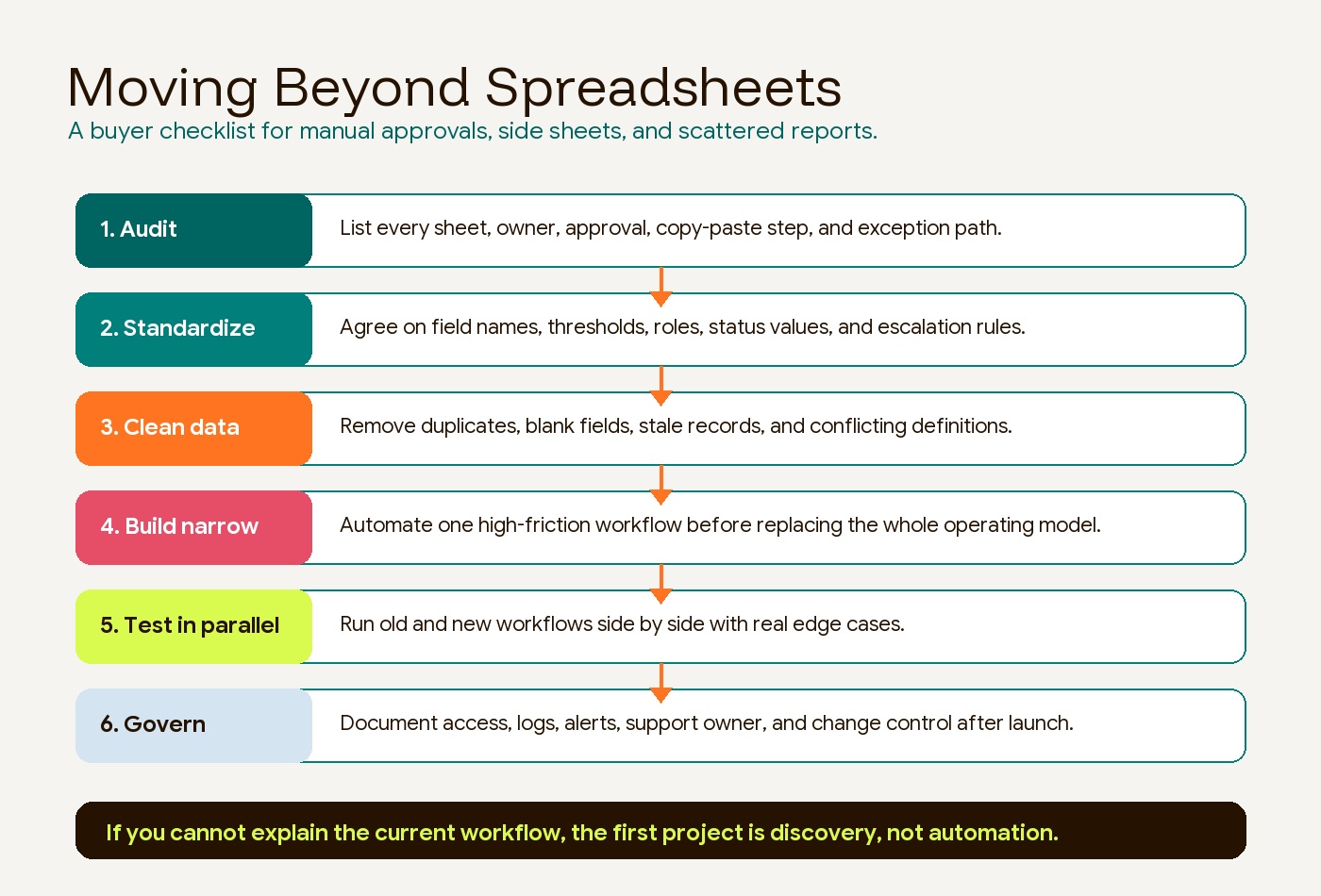
Use this checklist before approving a platform or partner:
-
Audit the current workflow. Document the actual steps, systems, owners, files, approvals, delays, and exception paths. Do not rely on the official process if operators have workarounds.
-
Standardize the future workflow. Define roles, thresholds, approval rules, escalation paths, required fields, status values, and decision ownership before building.
-
Clean the source data. Remove duplicates, stale records, blank fields, inconsistent naming, and conflicting definitions. Bad spreadsheet data will not become reliable just because it moves into a workflow tool.
-
Build one narrow workflow first. Choose a painful, repeated process with a measurable baseline. Good first candidates include purchase approvals, lead routing, customer onboarding, invoice intake, support triage, inventory exceptions, and weekly reporting.
-
Test in parallel. Run the automated workflow beside the old process with real edge cases. Compare outputs, timing, errors, and user behavior before cutting over.
-
Define support before launch. Decide who owns credentials, APIs, alerts, failures, data changes, workflow updates, and user training. Automation without ownership becomes another manual job.
What to ask before signing a proposal
The best questions make the provider show how they think. Ask these before choosing among business process automation companies:
- Which workflow would you automate first, and which would you leave alone?
- What information do you need before recommending a platform?
- Where can this workflow fail?
- What data has to be cleaned before launch?
- Which systems will be the source of truth?
- What happens when an approval stalls?
- What happens when AI is uncertain?
- What metrics will show whether the workflow improved?
- Who owns the workflow after go-live?
- What do we keep if we stop working together?
Avoid providers that jump straight to tools before mapping the process. Also avoid providers that treat AI as a universal answer. The strongest partners will name the boring details: data quality, permissions, logs, fallback rules, monitoring, training, and change requests.
The bottom line
Business process automation companies are most valuable when the business is too complex for spreadsheets but not well served by buying another disconnected tool. The right partner helps the team understand the workflow, clean the data, connect the systems, add AI where it genuinely helps, and support the operating layer after launch.
If the workflow is simple and low risk, a platform may be enough. If the workflow is cross-functional, data-sensitive, AI-assisted, report-heavy, or strategically important, compare a configured platform, integration partner, and custom implementation against the same failure cases.
For growing teams, the practical path is staged: map the process, fix the data, automate one workflow, measure the result, and then decide whether to expand the system. That is how automation becomes infrastructure instead of another workaround.


